NQ strategy signals
Signals from VECTOR's strategy engine, on NQ and MNQ charts only. The decision and the click are always yours.
Engine signals for information. Past performance is not a guarantee. Not a recommendation.
Pictures from VECTOR MIRROR with sample strategies. Your chart shows the strategies in your plan.
Turn signals on
① Click ⚡ Signals on the bar. ② Each box is an open signal — uncheck it to hide it.

Read and hover the arrow
① Green up = long · red down = short. The arrow sits on the entry bar. A new arrow pulses once.
The tag next to it = the strategy's short name and number.
② Hover the arrow: a small box with the strategy, the side, its win rate and profit factor.
③ Cyan box = entry to target (reward per 1 contract). Amber box = entry to stop (risk per 1 contract).
Click the arrow for the full card: entry, stop, target, risk, potential and result.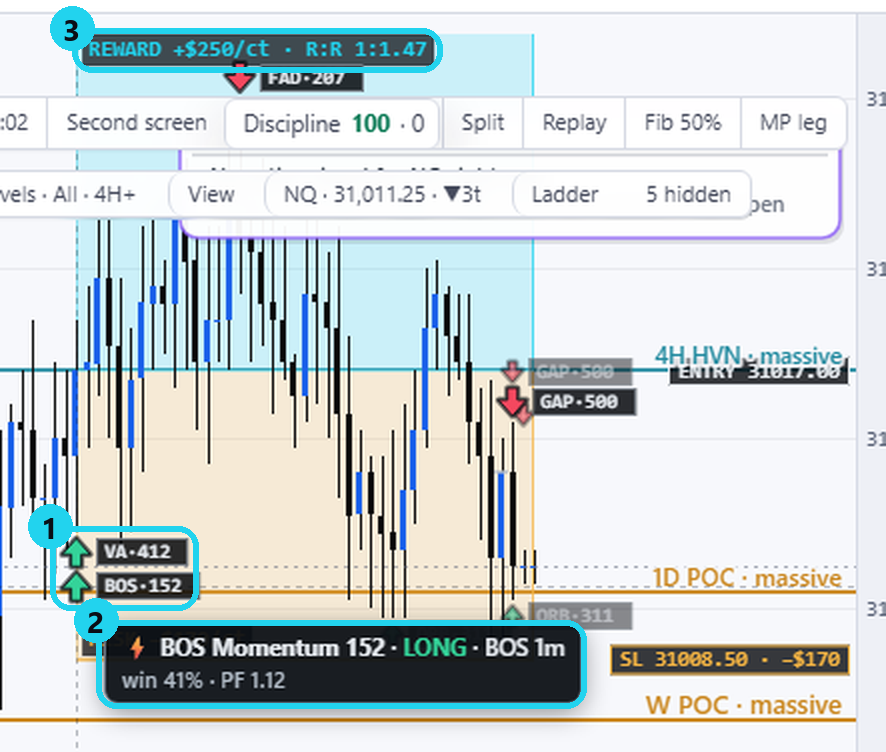
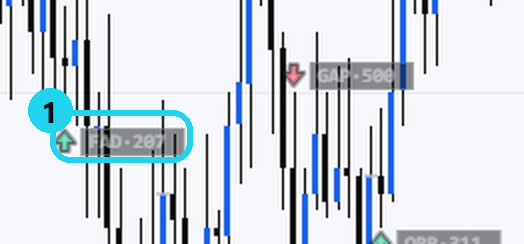
Small faded arrow?
① A signal that already closed. Hover it to see where it exited and the result.
New signal
A ⚡ New signal card opens. ① Pick a risk per trade — VECTOR sizes it and fills the order ticket. ② Price already past the entry? Pick LMT (default) or MKT now.
No order is sent from a signal. You place and confirm it yourself. Not for you? ✕ closes it.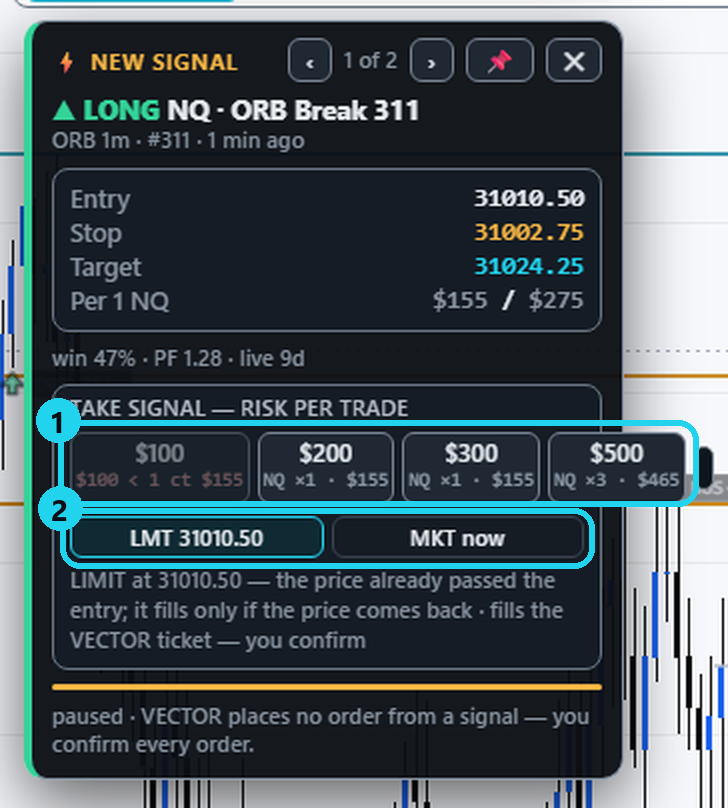
- Strategies per plan: Explorer 1 · Advantage 3 · Master 10 · the free trial: 3.
- Signal prices are the engine's, on the NQ front month — not your broker's fills.
- MIRROR WEB shows signals; loading them into the ticket comes in the next phase. Crypto has no signals.
🎯 Practice in Level Arena
A training game: real moments when price touched a VECTOR level, from 2018 to today. Play each one as a trade — side, entry, stop, target and a time limit — then see the real outcome in R.
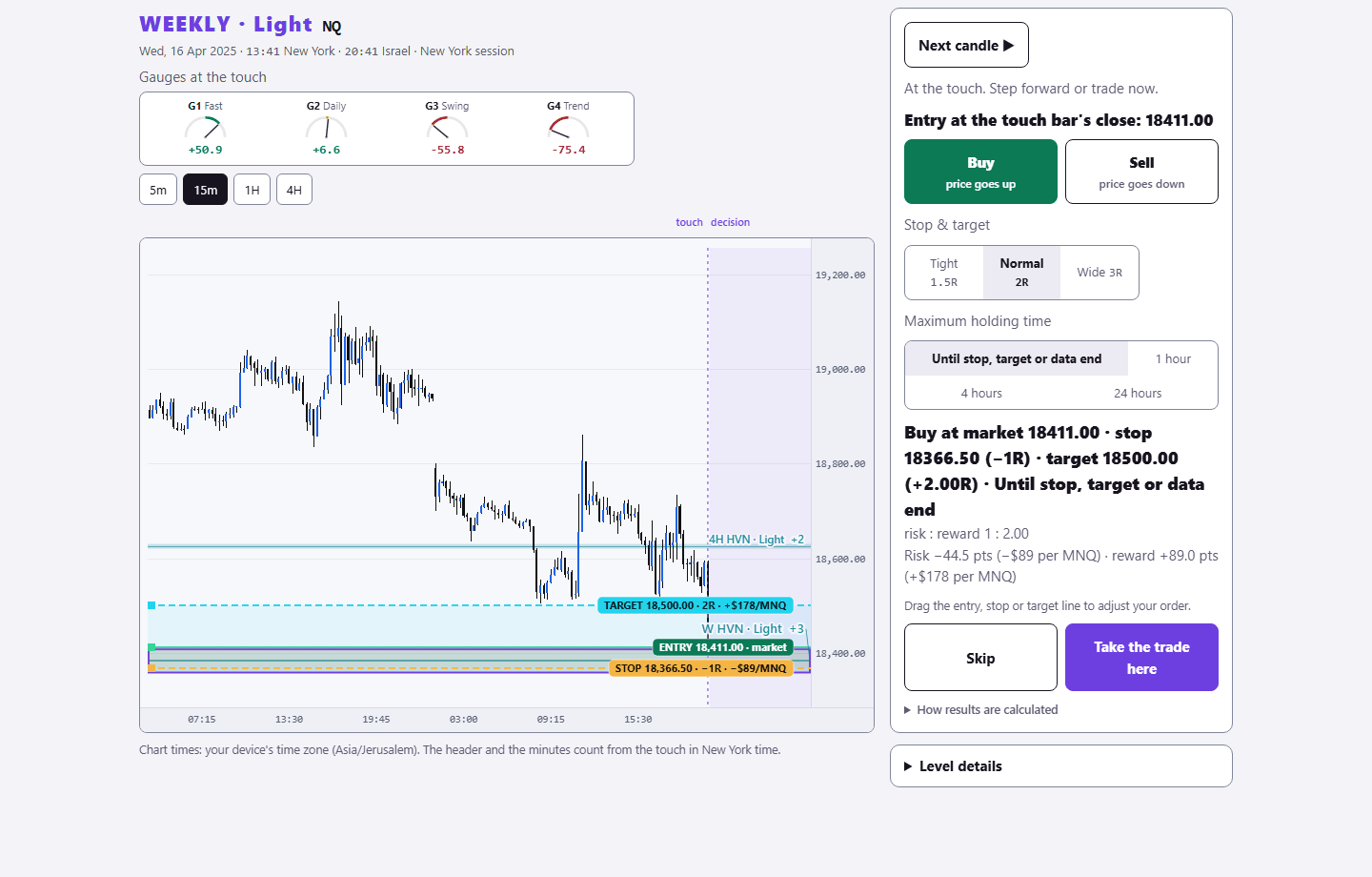
Sign in with your existing PurplEdge account. A free account gets one month from its first sign-in; paid plans have no end.
Practice in Level Arena →