VECTOR for Binance and Bybit
VECTOR's levels and a trade ticket on the coin chart.
1Install the extension
With VECTOR Setup — tick Binance or Bybit. Install guide
2Create a key in Demo Trading
Trading permission only. Never withdrawals.
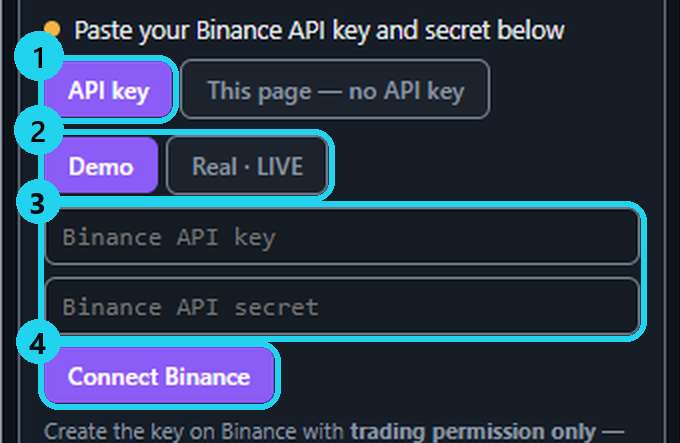
3Connect in the VECTOR icon
Select Demo, paste key and secret, Connect.
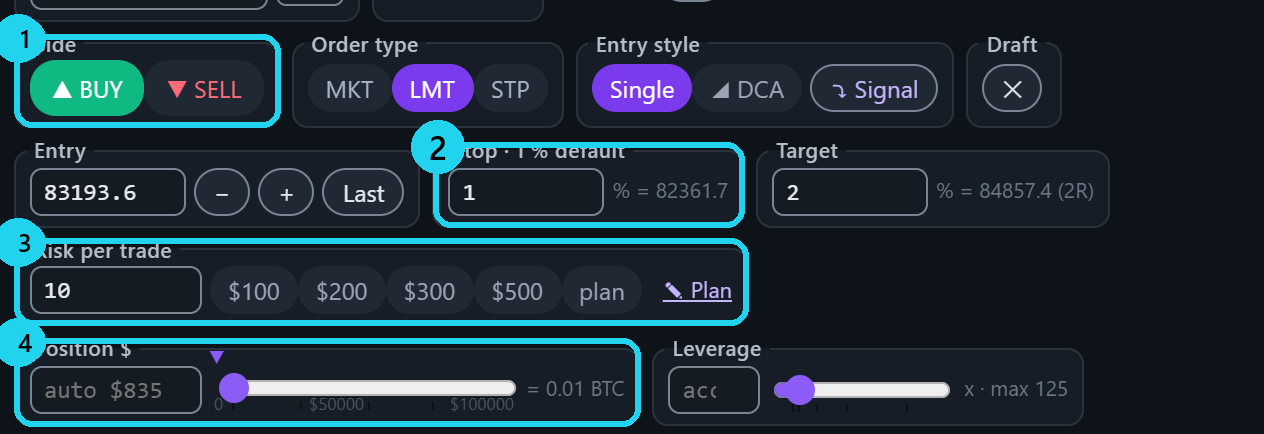
4Choose side, risk and stop
VECTOR sizes the position from them.
5Send and confirm
Every order goes in with its stop.

Tools in the ticket
6◢ DCA ladder
2 to 5 limit entries from the levels.
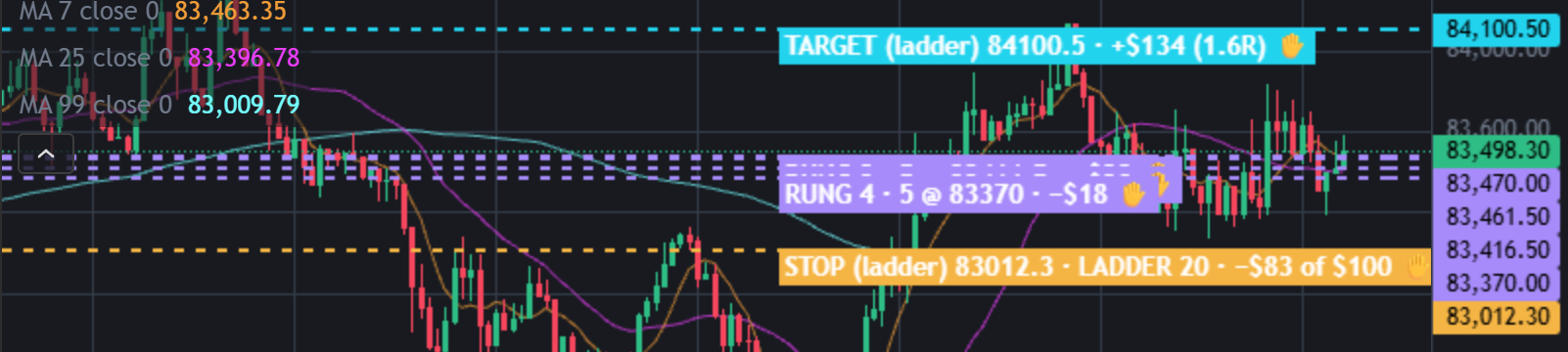
7🛡 Protect
Adds a stop and target if missing.

8↗ Trail
Moves your stop forward. Always asks ✔ Confirm.

⚠ On Binance: keep the PC awake and Chrome running while an order waits.
More
- The demo key is made inside the exchange's Demo Trading, on its own API page.
- The secret stays in this browser and only signs your requests there. It is never sent to VECTOR.
- VECTOR acts only on orders it sent. On Bybit, a stop you set yourself (Full TP/SL) is respected.
- Split: Bybit splits at entry (2 or 3 parts) and on an open position. Binance has no split.
- Chrome was closed? Check your positions and stops on Binance now.
- Try new tools on Demo first. Planned risk is an estimate; fees and slippage can increase losses.
- Support never asks for your API secret.
🎯 Practice in Level Arena
A training game: real moments when price touched a VECTOR level, from 2018 to today. Play each one as a trade — side, entry, stop, target and a time limit — then see the real outcome in R.
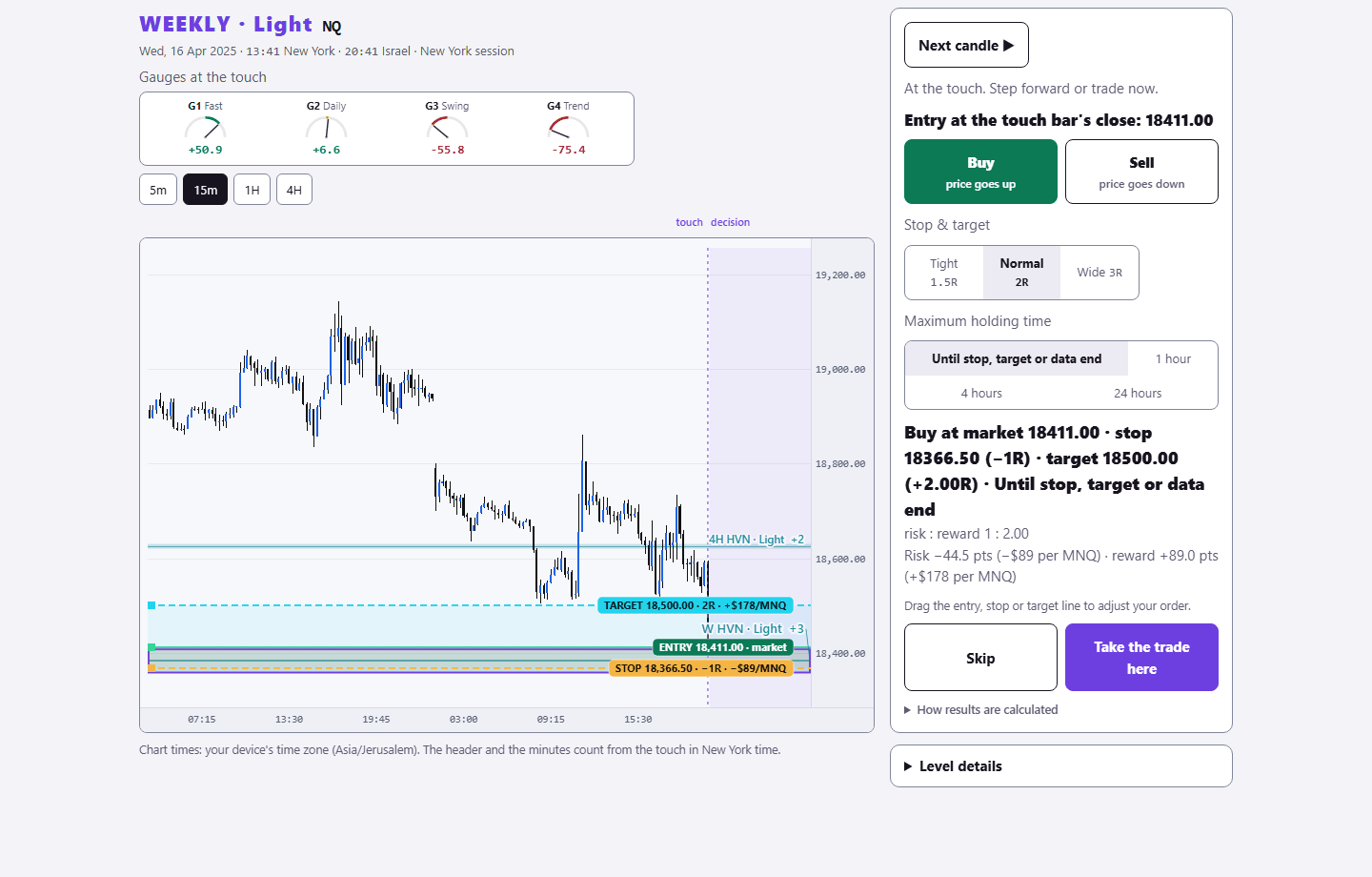
Sign in with your existing PurplEdge account. A free account gets one month from its first sign-in; paid plans have no end.
Practice in Level Arena →