1Download VECTOR Setup
Tick MIRROR, install, then open it. Install guide
2Check your connections
Connections, and your Support ID.

3Key not linked?
This step is changing soon⚙, Vector link, paste your key, Link.
Choose one connection
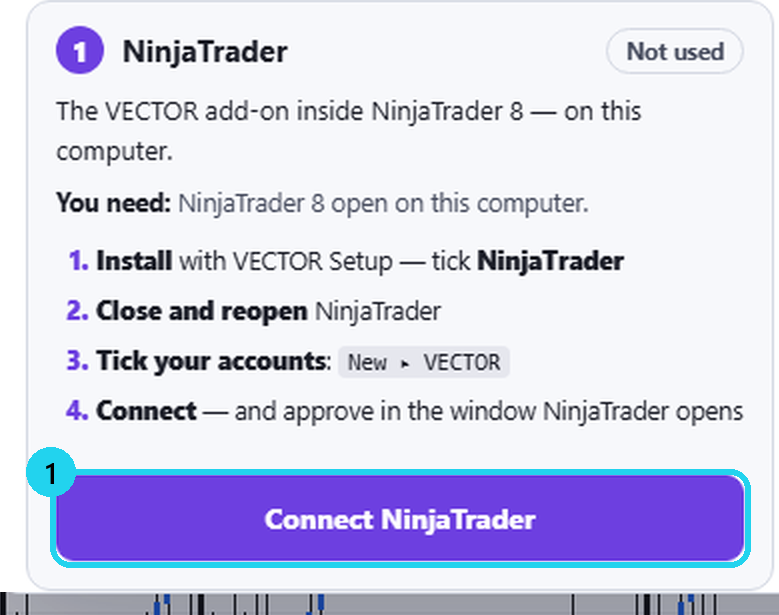
ANinjaTrader
VECTOR's add-on inside NinjaTrader 8.
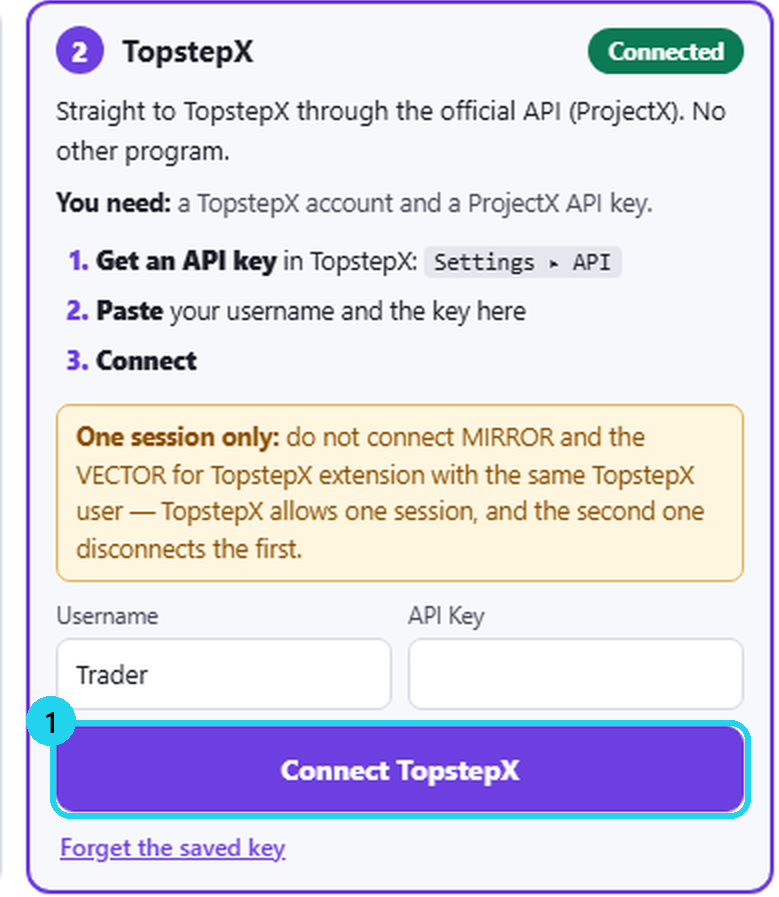
BTopstepX
Straight through TopstepX's API.
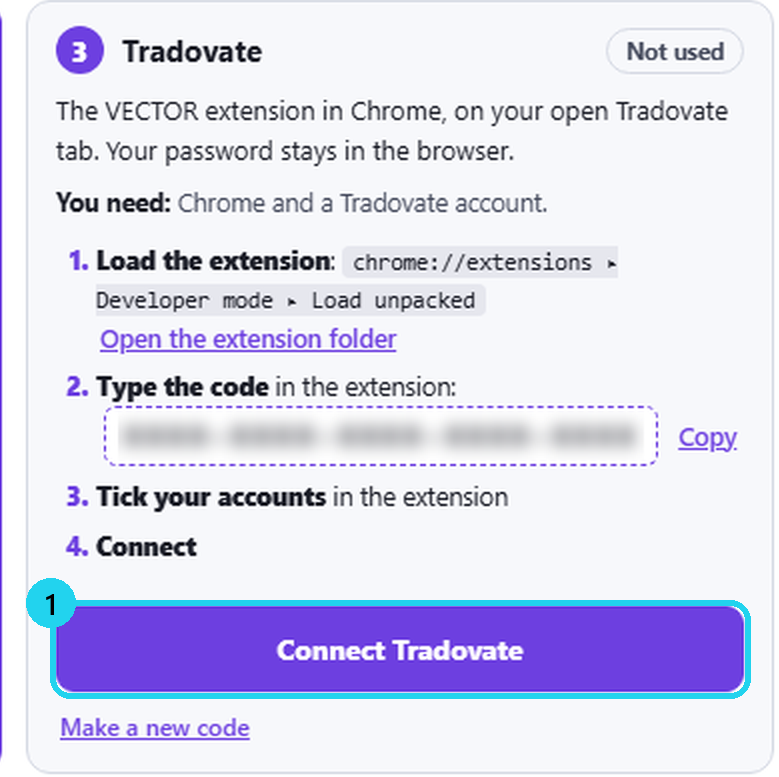
CTradovate
Through VECTOR's Chrome extension.
4Check the connection, then pick the account
LIVE in red = real money.
5Set risk before trading
Check account and risk before sending.
⚠ Share your Support ID — never your key.
⚠ TopstepX allows one session per user. Don't connect MIRROR and the extension with the same user.
More
- Using TopstepX's copier? Connect only the lead account.
- Updates: the top bar shows «↓ Update» when a new version is out. MIRROR closes for a few seconds — not mid-trade.
- Another computer? Give support your Support ID and ask to release the device.
- ? on the top bar = guide mode: an explanation on every button.
- Stuck? Contact support with your Support ID.
🎯 Practice in Level Arena
A training game: real moments when price touched a VECTOR level, from 2018 to today. Play each one as a trade — side, entry, stop, target and a time limit — then see the real outcome in R.
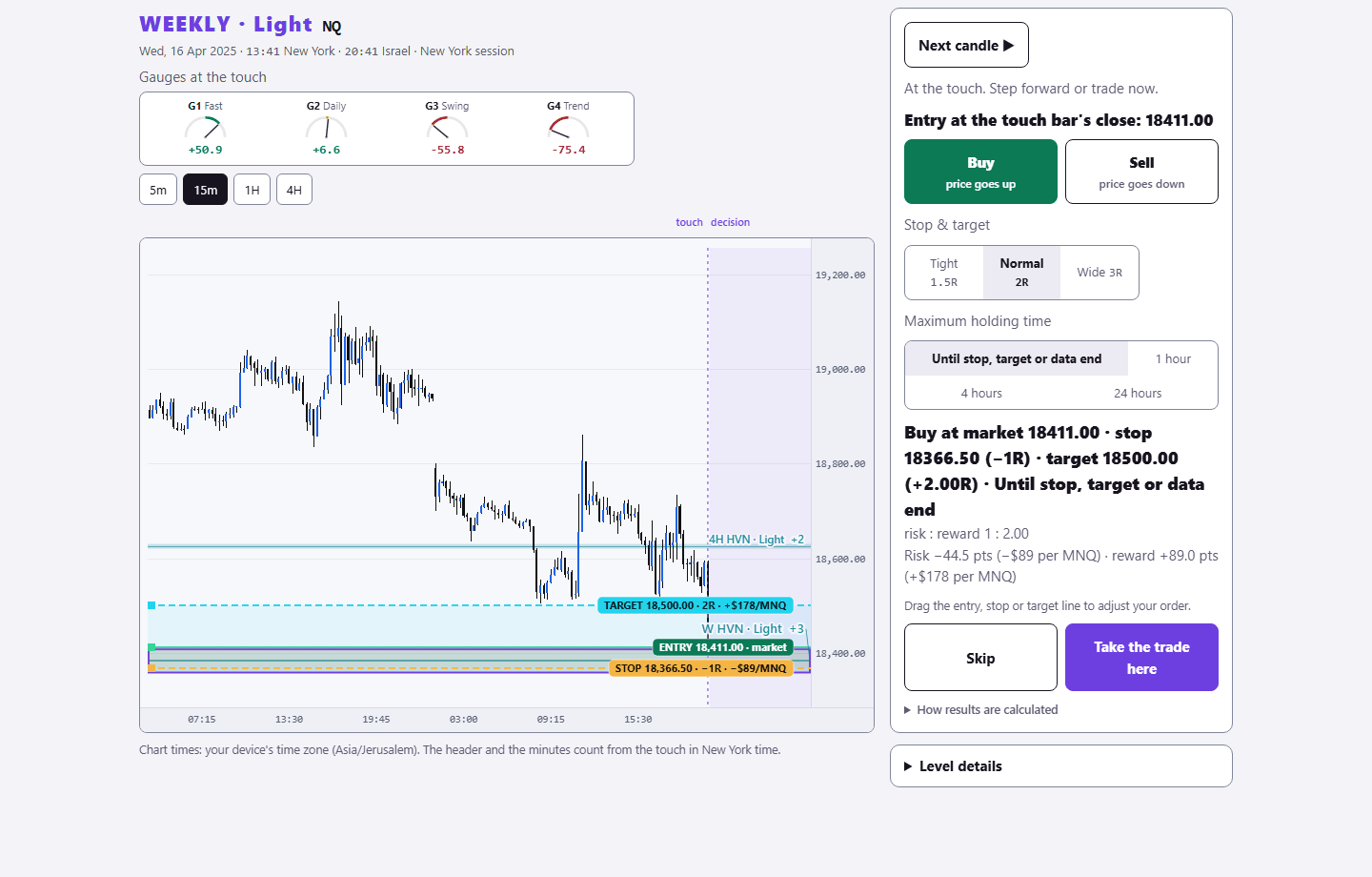
Sign in with your existing PurplEdge account. A free account gets one month from its first sign-in; paid plans have no end.
Practice in Level Arena →